
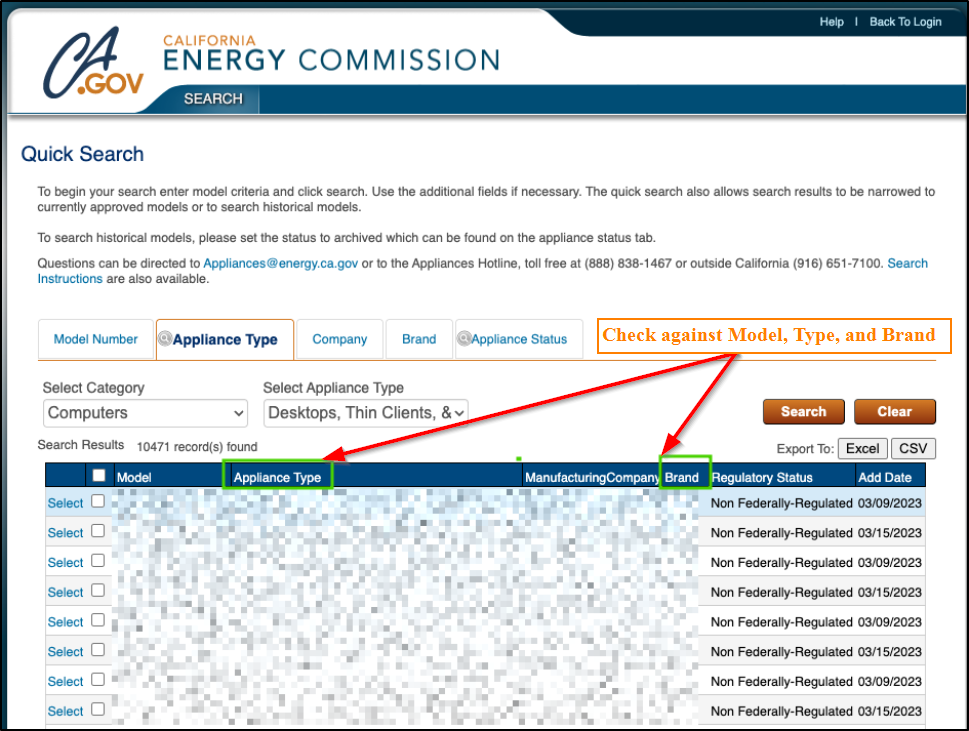
What is the California Energy Commission (CEC)?
Who gets notified
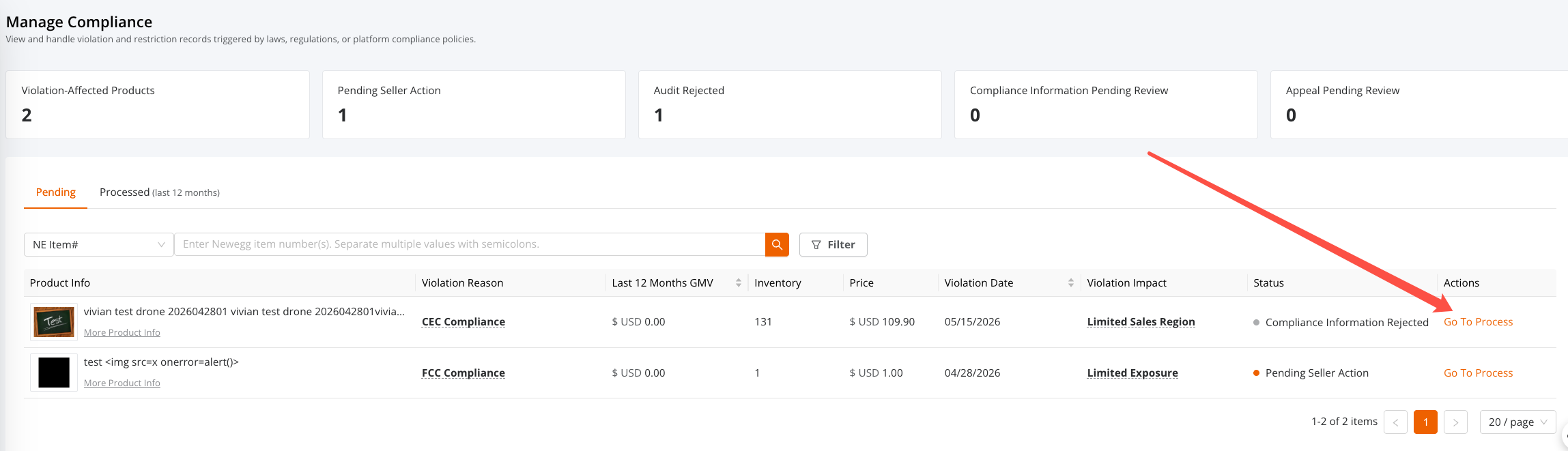
Only the Product Owner receives the notification that a violation has been recorded and can submit a response. If you are not the Product Owner on a listing, you can still view the restricted status and the reason in the Compliance Center, but you won’t see a submission option.

Product Owner
Product Non-owner
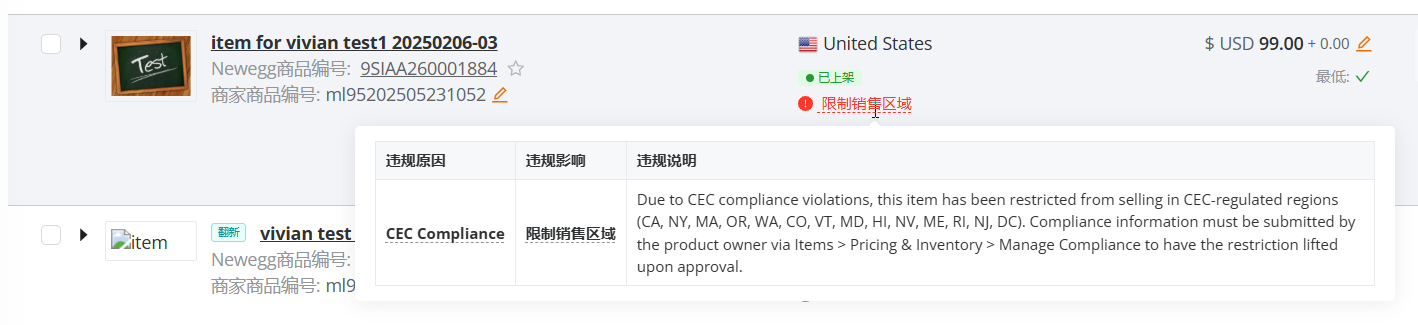
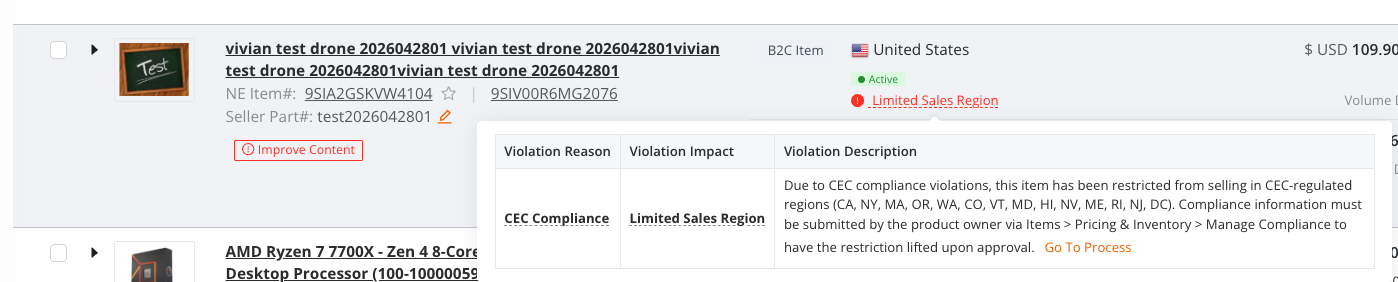
Understanding your restriction type
The Compliance Center shows one of two restriction types on a flagged item, and they affect your listing differently:
Exposure Restriction
- Limits your product’s visibility and traffic (display placements are restricted).
- Does not block the item from being sold in any specific region.
- You can see the restriction reason and a handling entry point in the Compliance Center.
Sales-Region Restriction
- The item cannot be sold or listed in the specified region(s).
- You cannot remove this restriction yourself—it must go through platform review.
- New listings and follow-on listings for the same product automatically inherit this restriction, so re-listing will not bypass it.
- The Compliance Center shows the specific restricted regions and how to request a review.
Submitting materials or starting an appeal
From the Compliance Center, you have two ways to respond to a recorded violation: submitting supporting materials, or starting a formal appeal. These two paths are mutually exclusive—you can only be in one of them at a time for a given task.
- If your appeal is in progress, the Submit Materials option is disabled until that appeal is complete.
- If your material submission is in progress, the Start Appeal option is disabled until that review is complete.
- The Compliance Center always shows only one active action button at a time, along with a note explaining why the other option is unavailable.
Submitting compliance materials
Use this path to provide documentation showing your product meets the applicable requirement.
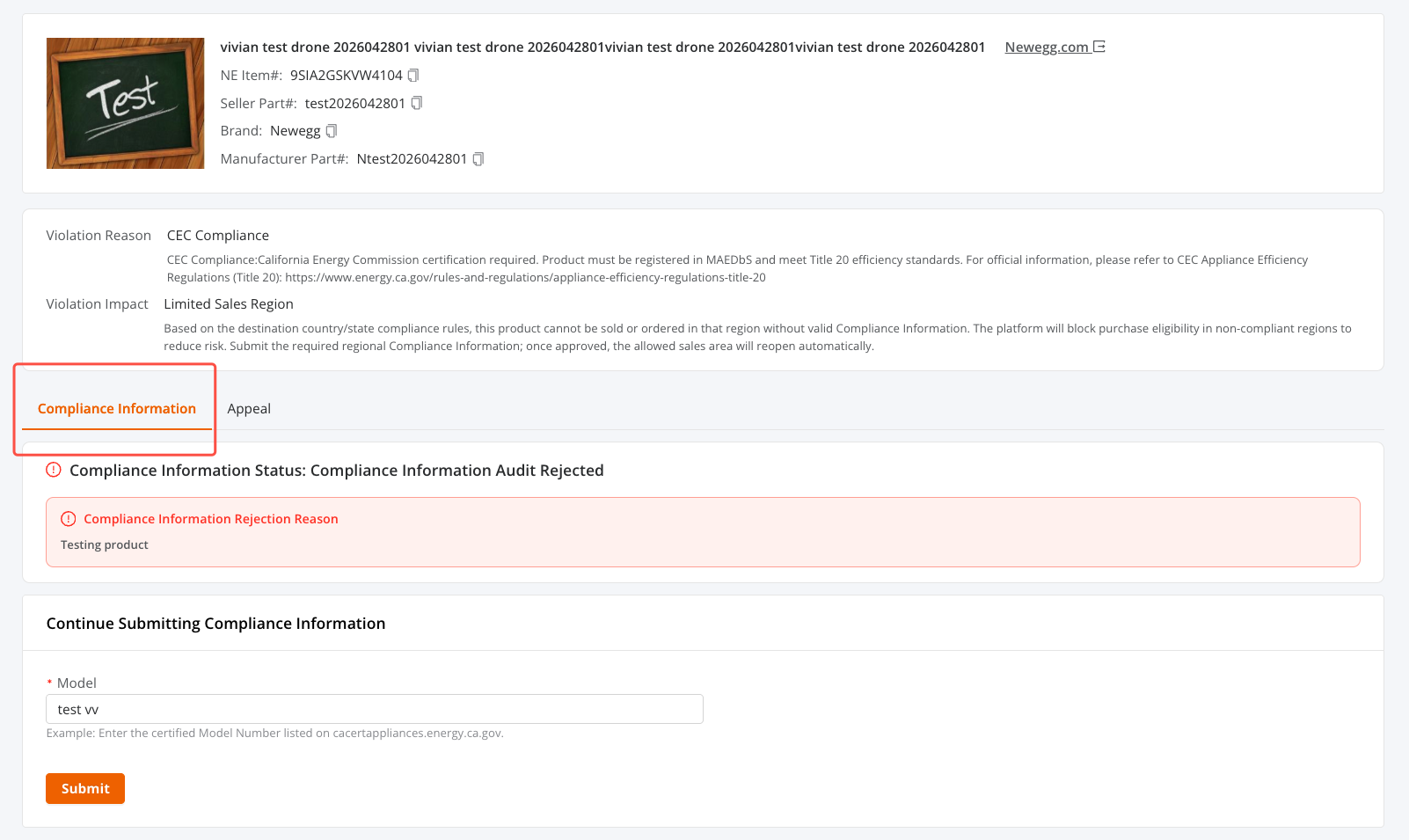
- Upload the requested attachments and add any supporting notes.
- Once submitted, your task status changes to Material Review In Progress.
- If your materials are not approved, you can resubmit materials or switch to an appeal.
Starting an appeal
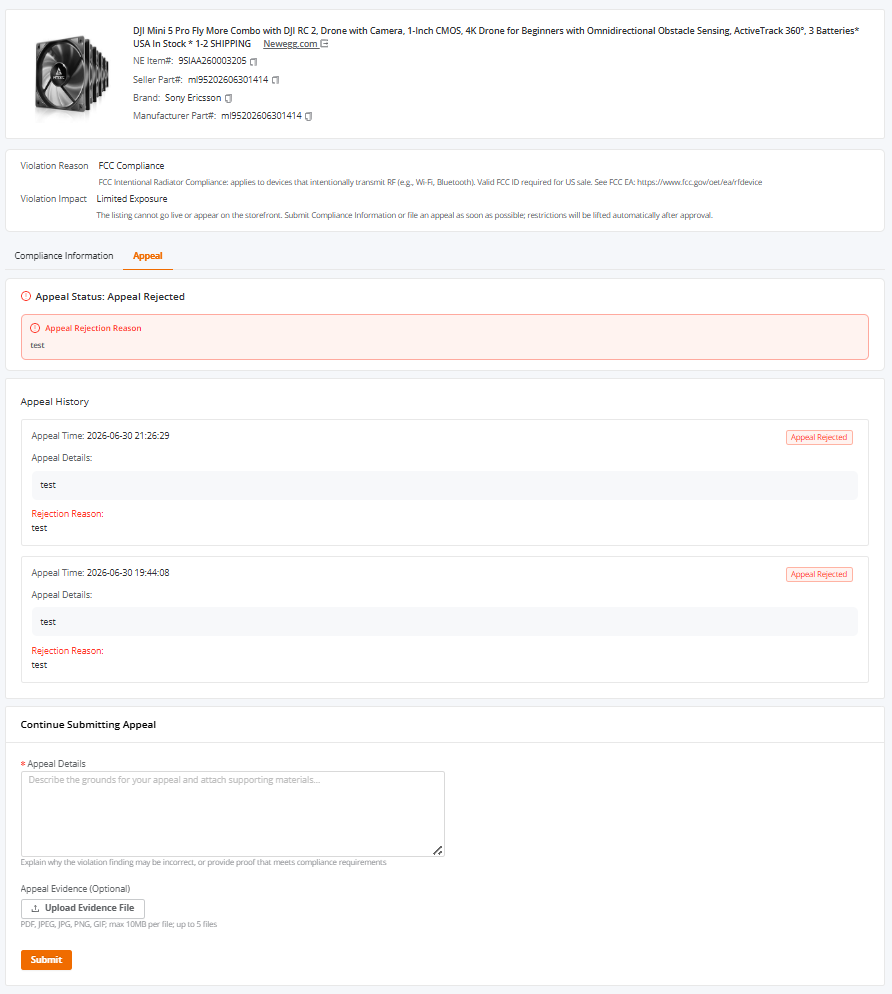
Use this path if you want to formally dispute the violation decision itself.
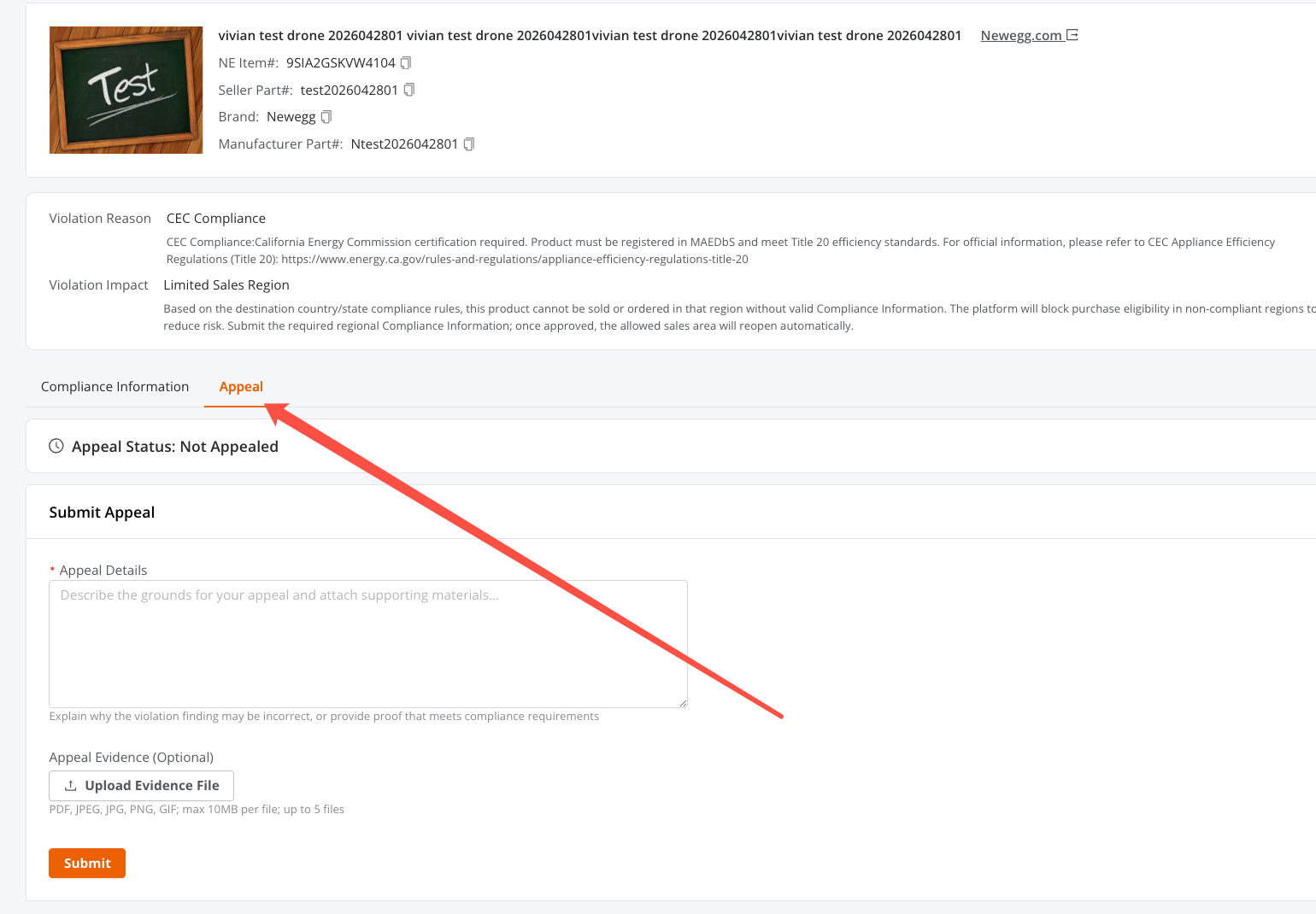
- Provide your appeal reason, any supporting evidence, and additional notes.
- Once submitted, your task status changes to Appeal In Progress.
- After your appeal is resolved, you can choose to continue with another appeal or switch to submitting materials.
Tracking your progress
Each compliance task includes a timeline showing key milestones: submitted, in review, and the final outcome (approved or rejected). If a submission is rejected, the Compliance Center shows the reason along with your available next step. Depending on your notification settings, you may also receive updates when a task’s status changes.
CEC requirements apply in the following 13 states plus District of Columbia. Products that have not obtained certification will not be allowed to be sold in the following regions:
California (CA)
New York (NY)
Massachusetts (MA)
Oregon (OR)
Washington (WA)
Colorado (CO)
Vermont (VT)
Maryland (MD)
Hawaii (HI)
Nevada (NV)
Maine (ME)
Rhode Island (RI)
New Jersey (NJ)
District of Columbia (DC)
- Meet applicable design or performance standards (efficiency standards)
- Test regulated products by lab approved by the California Energy Commission, maintaining all test reports on file
- Mark regulated product in accordance with Title 20
- Certify the product to the California Energy Commission’s MAEDbS
Frequently Asked Questions
Can I submit materials and start an appeal at the same time?
No. These two paths are mutually exclusive—only one can be active at a time.
Can I switch to submitting materials while my appeal is in progress?
No. You’ll need to wait until the current appeal is resolved before switching paths.
What happens if my materials are rejected?
You can resubmit materials, or switch to starting an appeal instead.
Can I remove a sales-region restriction myself?
No. Sales-region restrictions can only be removed through platform review.
Will a sales-region restriction affect new or follow-on listings?
Yes. New listings and follow-on listings for the same product automatically inherit the restriction.
Will the same regulation be recorded against my product more than once?
No. The current policy records a violation for the same regulation on the same product only once.