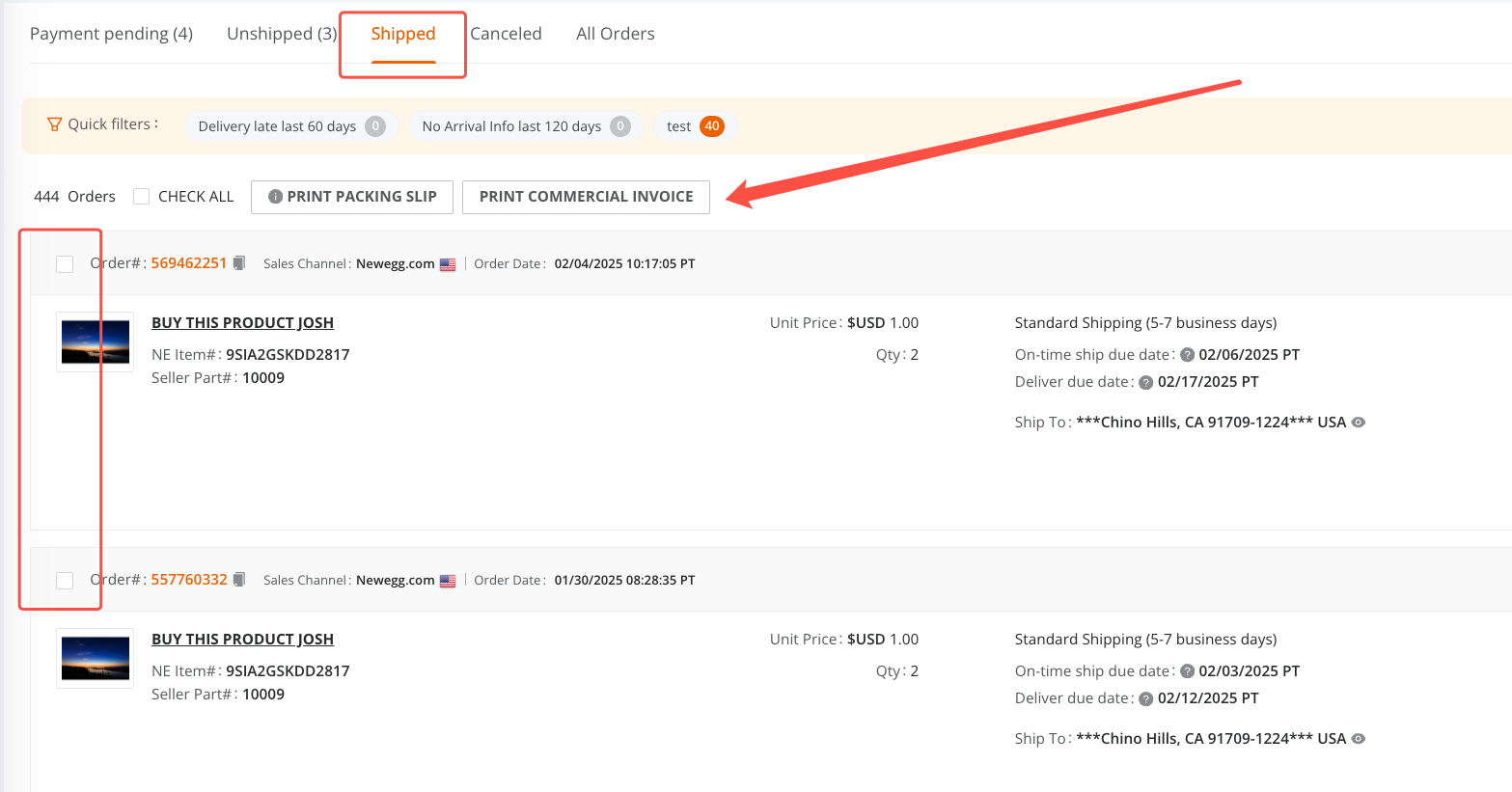
Conveniently batch print order(s) packing list or commercial invoice at the current page of Order List.
Available platforms: Newegg.com, Neweggbusiness.com, Newegg.ca
How-To:
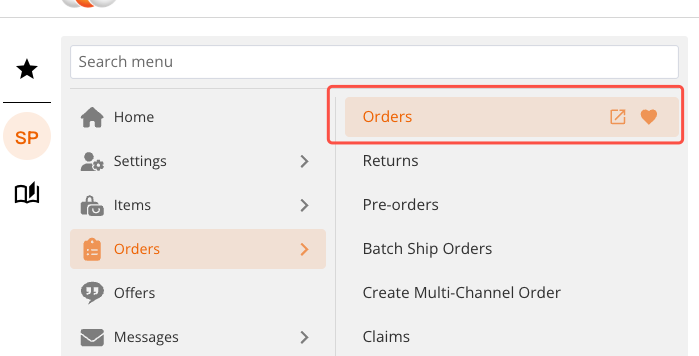
1.Go to Seller Portal > Orders
2.Under the Shipped tab, select the orders for which you would like to print commercial invoices.
3.At the top of the order list, click PRINT COMMERCIAL INVOICE to print the invoices in bulk.