
Review how many returns had been received by the Newegg RMA warehouse. In addition, view how many items are transferred back to inventory for re-sell (SBN only), how many items are returned to the seller, and how many items are disposed of. Please take note of the fields:
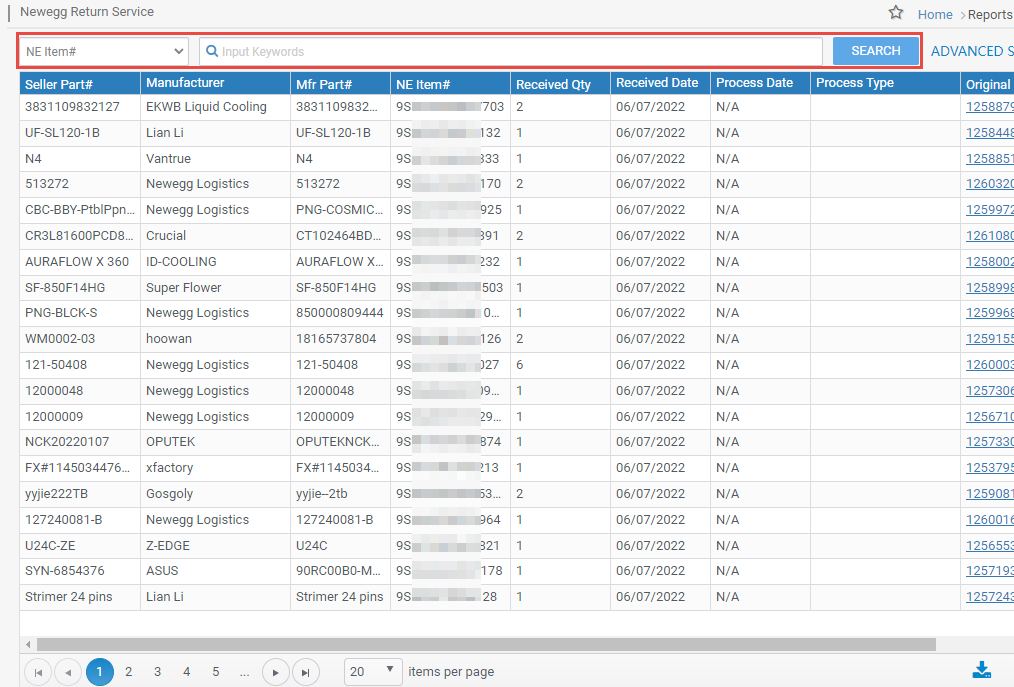
- Received Date: Newegg facility received the RMA package back from the customer.
- Original Order#: The original Newegg order # for seller’s reference. Sellers may review the order details via Manage Order.
- Original Return#: The original Return (RMA) # Newegg generated. Sellers may reference the RMA details via Return List.
- Process Date: The date of returned items processed by the Newegg facility based on the different types of processes.
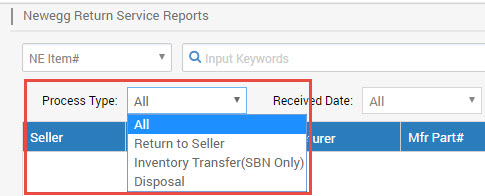
- Type of process:
-
Return to Seller: Item(s) are returned to the seller.
-
Inventory Transfer (SBN Only): If the item(s) from RMA is unopened, the Newegg facility will transfer it back to the warehouse for re-sell. This option is only available for SBN items.
-
Disposal: Item(s) in Newegg’s facility will be destroyed at the seller’s request.
-
- Type of process:
- Process ID: The processing reference# for the Newegg facility returning items to the seller.
Available platforms: Newegg.com, Neweggbusiness.com, Newegg.ca
How-To:
- Go to Seller Portal and hover your mouse pointer over the list icon (upper left corner) then select Shipped by Newegg > Newegg Return Service.

- Select any relevant options to narrow the search or leave blank, and click the SEARCH button to view the list.
- [Optional] To export the list to MS Excel file, click the icon:
