
Video Tutorial
About
Update the pricing and inventory for each of your listed items in your account.
Available platforms: Newegg.com, Neweggbusiness.com, Newegg.ca
How-To:
- Go to Seller Portal and hover your mouse pointer over the list icon (upper left corner) then select Items > Pricing & Inventory.

- Click the pencil icon to edit the inventory and/or price for your item then enter the values and click Save to update. Note: Hover your mouse pointer over the qty and price of your item then this icon will be visible.
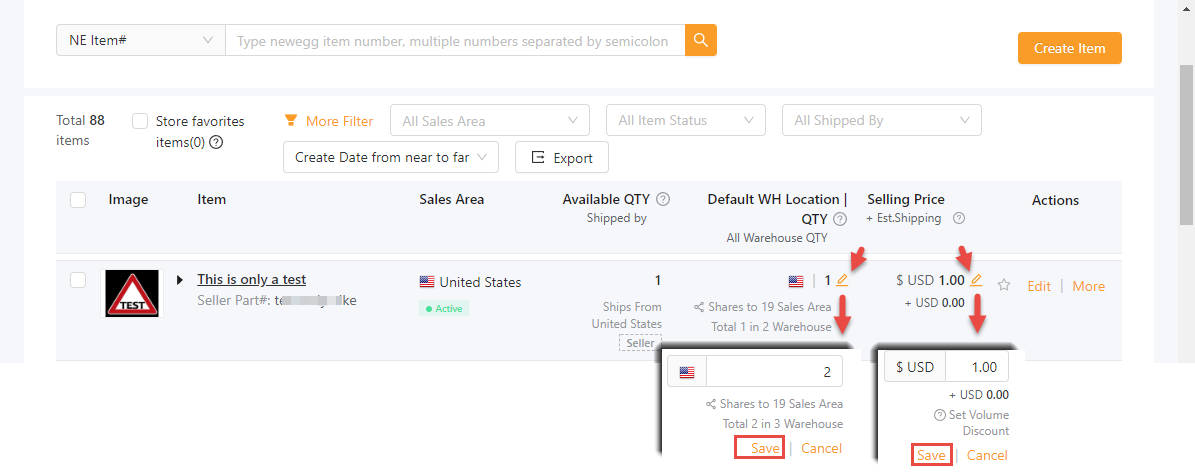
- Additional information for QTY for multiple warehouse inventory updates, only applicable for the Newegg.com platform.
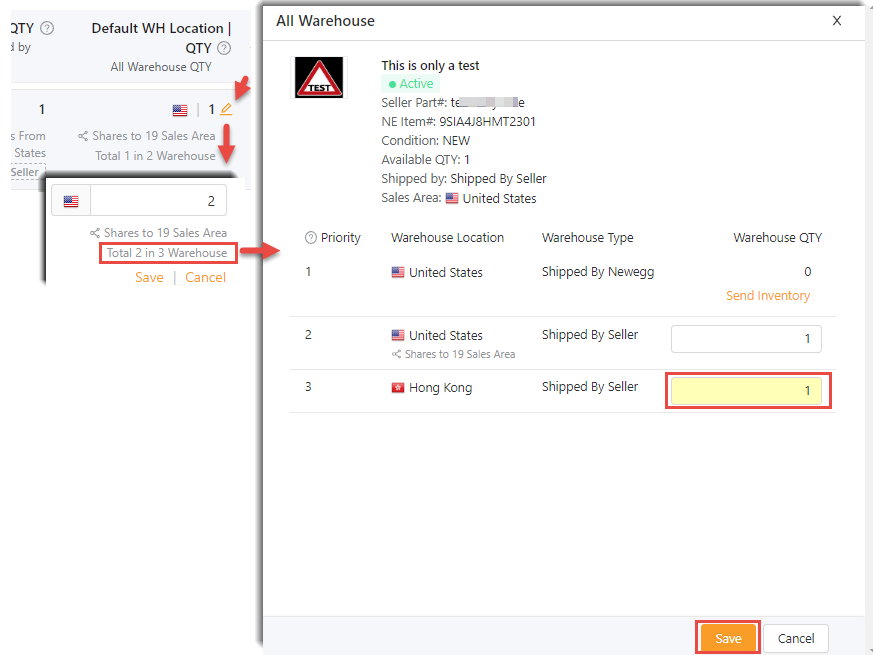
- If you have multiple warehouses, click “… Warehouse” and then a new section will appear.
- Edit all warehouse inventory accordingly then click the SAVE button to update.
- Additional information for QTY for multiple warehouse inventory updates, only applicable for the Newegg.com platform.